Language Switchers: The Rules I Follow
A language switcher looks like a five-minute task. Put a dropdown in the header, add two items, ship it. Then the bug reports start. Someone lands on a page they can’t read and has no idea how to get out. Google indexes the same text under five URLs. A screen reader announces “Русский” with an English voice and it comes out as gibberish.
I recently made makersew.com, a directory of garment manufacturers in Central Asia, bilingual. Below are the rules I followed while building its switcher, and the screenshots come from that site.
1. No flags
A flag stands for a country, and a language almost never belongs to one. Spanish is spoken in Spain and in Mexico, English in the US, the UK and Australia, Arabic in more than twenty countries. Put a US flag next to English and a British reader feels left out. Put a Russian flag next to Russian and you confuse readers in Kazakhstan and Kyrgyzstan, where Russian is everyday language and has nothing to do with Russia’s flag.
So I write each language in its own name and its own script: English, Русский, Қазақша, 日本語. Not “Russian”, not a transliteration, and not translated into whatever language the page happens to be in. The person looking for their language recognizes it instantly, and nobody else has to.

“Русский” stays in Cyrillic on the English page and “English” stays in Latin on the Russian one. The current language is underlined.
The name alone stops working when one language comes in several variants. Brazilian and European Portuguese, Serbian in Latin and in Cyrillic, Uzbek, which is officially written in Latin but still widely read in Cyrillic. In these cases I add a qualifier, also in that language: Português (Brasil) next to Português (Portugal), Oʻzbekcha next to Ўзбекча.
2. The URL strategy decides everything else
There are three options I’d consider, and I’d pick them in this order:
- A subdirectory, like
example.com/en/andexample.com/ru/. It’s the simplest to deploy, all languages share one domain, andhreflang(rule 4) is easy to get right. - A subdomain, like
en.example.com. It makes sense when the regional versions are almost separate sites with different content. - A query parameter, like
example.com/?lang=ru. I’d avoid it. Canonical URLs get fiddly, caches split in odd ways, and anyone who copies a link without the parameter sends their friend the wrong language.
The one thing I wouldn’t do at all is keep the language only in a cookie or in localStorage and serve every language from the same URL. A search engine then sees a single version. People can’t share a link in the right language, and a CDN happily serves the Russian page to someone who asked for English.
On makersew the default language kept its old URLs without a prefix, because Google had already indexed them and I didn’t want to throw that away. English got the /en/ prefix. If someone types /ru/ by hand, they’re redirected to the unprefixed address, so every page has exactly one URL per language.
3. Switching keeps you on the same page
If I’m reading /blog/fractional-indexing/ and click “English”, I expect /en/blog/fractional-indexing/. Landing on /en/ instead and having to find the article again is one of the most annoying things a multilingual site can do.
The query string is part of “the same page” too. On makersew a client filters the catalog by city, switches to English and should still see the same filtered list.
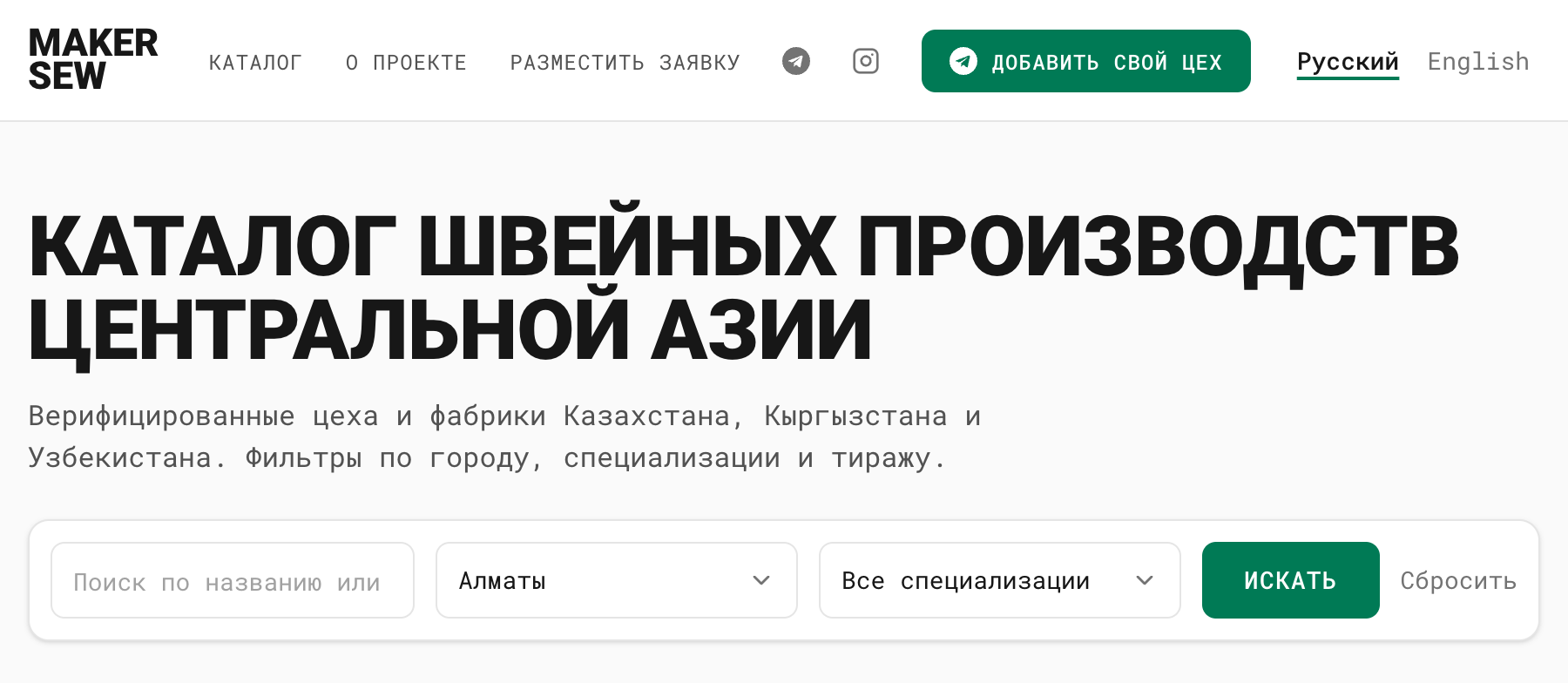
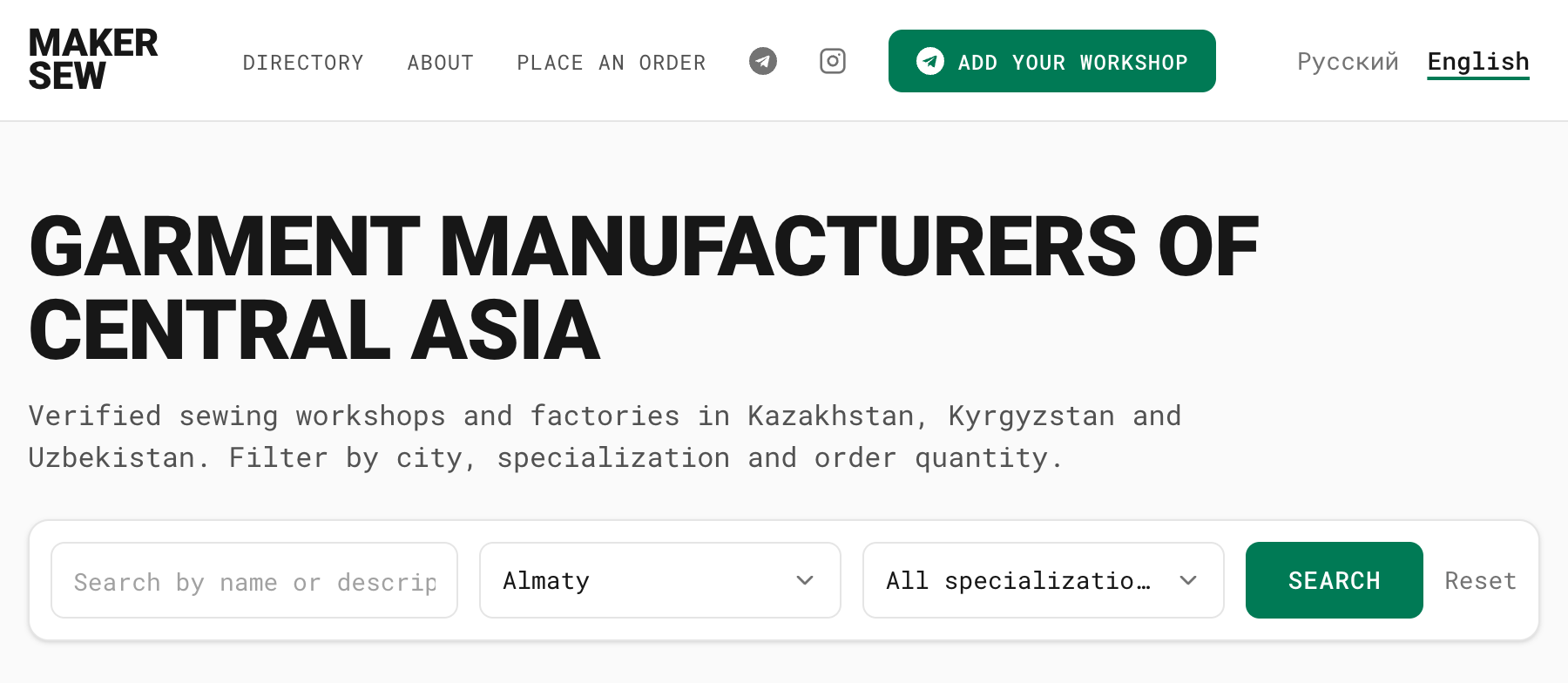
/?city=almaty turns into /en?city=almaty. Same page, same filter, different language.
Sometimes the page doesn’t exist in the other language yet. A silent redirect to the homepage is the worst answer to that; the switcher needs an honest place to go, and I describe what I do in When a translation is missing.
4. hreflang is not optional
Every page lists all of its language versions in <head>:
1<link rel="alternate" hreflang="en" href="https://example.com/en/page/" />
2<link rel="alternate" hreflang="ru" href="https://example.com/ru/page/" />
3<link rel="alternate" hreflang="x-default" href="https://example.com/en/page/" />
Without these tags Google may show the Russian page to someone searching in English. You’ll see a strange bounce rate and nothing in the logs will explain it.
Most hreflang bugs I’ve seen come from the links not matching up. Each version has to list every version, itself included, and the links have to go both ways. If the English page points to the Russian one but the Russian page doesn’t point back, search engines quietly ignore the pair. The easiest way I know to avoid this is to never write the tags by hand. On makersew they’re generated from the same list of languages that the switcher reads, so they can’t drift apart. On big sites the same annotations can live in the sitemap instead of every page’s <head>.
5. Auto-detection suggests, it doesn’t decide
A banner saying “this page is also available in German” is fine. Quietly redirecting someone because of their Accept-Language header or their IP address is not.
A developer in Berlin may be reading a Russian blog on purpose. A tourist in a Bangkok hotel gets a Thai IP and suddenly the site is in Thai. And Accept-Language usually reflects the operating system’s language, which says little about what the person wants to read.
The banner asks once, remembers the answer and never asks again. It also has to speak the suggested language, not the language of the page. A banner in Russian on a Russian page would be useless to the exact person it is meant for.
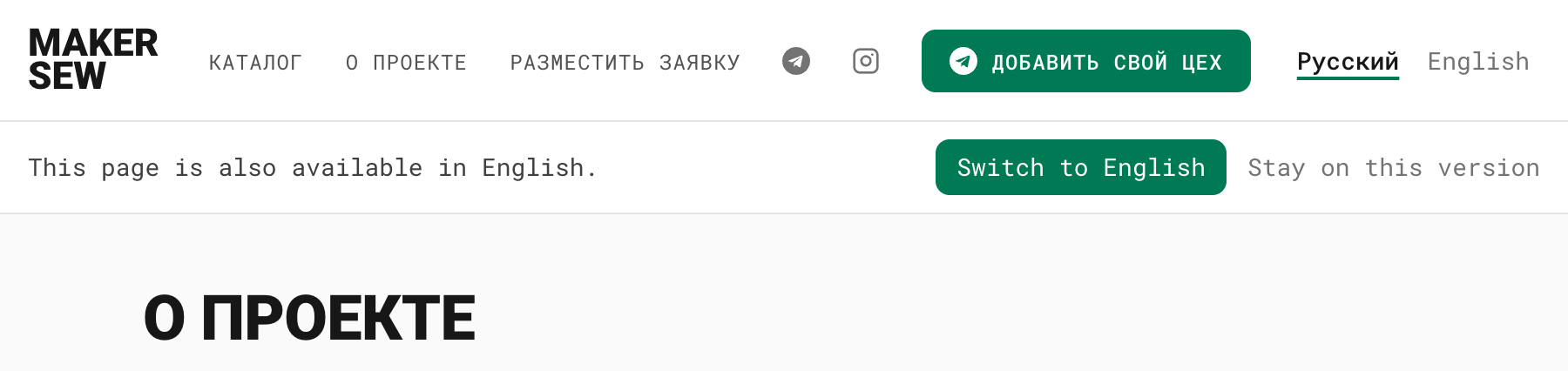
A browser set to English opens a Russian page. Instead of a redirect, a banner in English offers the switch. Either answer goes into a cookie, and the banner doesn’t come back.
The logic behind it is four steps long:
- If the visitor has already chosen a language (there’s a cookie), show nothing.
- Take the browser’s preferred languages and find the first one the site supports. Matching
en-GBtoenis good enough. - If nothing matches, or the match is the language of the current page, show nothing.
- Otherwise show the banner in the matched language. “Switch” and “Stay” both write the cookie.
6. Remember the choice
After an explicit switch I set a cookie, lang=en with Max-Age=31536000 and SameSite=Lax. The next time that person opens the root URL, they’re redirected to their language.
It has to be a redirect. Rendering English at the same root URL brings back the cookie-only setup from rule 2, and the cached homepage will reach the wrong people. Make sure the root response isn’t cached for everyone, since it now depends on the cookie.
I only redirect the root. If someone follows a link to /ru/some-article/, they want that article in Russian, whatever they picked last month.
LocalStorage alone doesn’t work for this. The server can’t read it, so every page load renders the default language first and flips a moment later. A cookie that only remembers a language the user picked is a functional cookie, and under GDPR-style rules it usually doesn’t need a consent banner. I still mention it in the privacy policy.
7. Accessibility
This is the markup I use:
 1<nav aria-label="Language">
 2  <ul>
 3    <li>
 4      <a href="/en/page/" hreflang="en" lang="en" aria-current="true">
 5        English
 6      </a>
 7    </li>
 8    <li>
 9      <a href="/ru/page/" hreflang="ru" lang="ru">
10        Русский
11      </a>
12    </li>
13  </ul>
14</nav>
The attribute that matters most is lang on each link. Without it a screen reader reads “Русский” with the voice of the page’s language, and an English voice turns it into noise. aria-current="true" tells the user which language is active, and aria-label on the <nav> keeps it from being announced as yet another anonymous “navigation”. That label belongs to the page, so on the Russian version it reads aria-label="Язык", not “Language”.
hreflang on the link is a hint to the browser that the target page is in another language. It does nothing for search engines; they read the <link rel="alternate"> tags from rule 4.
And the root element carries the language of the page:
1<html lang="en">
Without it the whole page is read in one voice, even where it switches languages.
8. Where to put it
Language isn’t a setting. On an unfamiliar site it’s the first thing a person looks for, so the switcher has to be reachable from the top of the page, and never behind a gear icon or a “Settings” menu.
With two or three languages I show them all as a list in the header. With more, the list gets too long for the header, so it becomes a compact dropdown showing the current language, and the full list moves to the footer. On content-heavy sites I’d also put a link near the article title, because that’s where a reader decides whether to read on.

On a phone the same list sits inside the menu, right next to the social links.
When a translation is missing
Some content will always lag behind. A new page, a description a business owner wrote in Russian, a language added last week. If you don’t decide upfront what happens when a translation is missing, every page ends up deciding on its own.
On makersew every page exists in every language. The interface around the content is always translated, and only the content inside falls back, so switching never leads to a 404.
Short names fall back to the original. A city or a product category shown in Russian on the English page is still useful, and it’s better than an empty spot. Longer texts fall back too, with a note: a manufacturer’s description that nobody has translated yet is shown in Russian with the note “Description in the original language” below it, and its container gets lang="ru" so a screen reader changes voice. SEO texts are the exception. A Russian <title> on an English page hurts more than a plain generated one like “Garment manufacturers in Almaty”, so those never fall back.
Each language also has its own fallback chain instead of a single default. Kazakh falls back to Russian, which most Kazakh readers know. Chinese would fall back to English first. When I add machine translation, each translated text will be marked as machine-made and redone whenever the original changes. A language that is mostly machine-translated can be open to visitors, but it stays noindex until a native speaker has read the main pages.
Right-to-left languages
Arabic, Hebrew, Persian and Urdu flip the layout, and the switcher is usually where it breaks first. dir="rtl" on <html>, next to lang, mirrors text direction, alignment and the order of flex items. Margins and paddings written as left and right end up on the wrong side, so I use the logical properties instead: margin-inline-start, padding-inline-end.
Language names need their own care. العربية on an English page, or English on an Arabic one, should sit in <bdi> or carry their own dir, otherwise the punctuation and the items next to them get reordered in odd ways. Arrows and “back” chevrons get mirrored. Logos and icons of real objects stay as they are.
Checklist
- Every language is named in itself, without flags, and variants have a qualifier
- Languages live in subdirectories or subdomains, not in a query parameter
- Switching keeps the current page and its query string
- Every page has
hreflanglinks that include itself and point both ways - Auto-detection shows a banner in the suggested language instead of redirecting
- The choice is stored in a cookie, and only the root URL redirects
-
langis set on<html>and on every switcher link, andaria-labelis in the page language - The active language has
aria-current - The switcher is reachable from the top of every page
- Missing translations have a defined fallback
- The layout uses
dirand logical CSS properties, ready for RTL